
Receipts scatter, then vanish by tax time.
Proof, captured in seconds
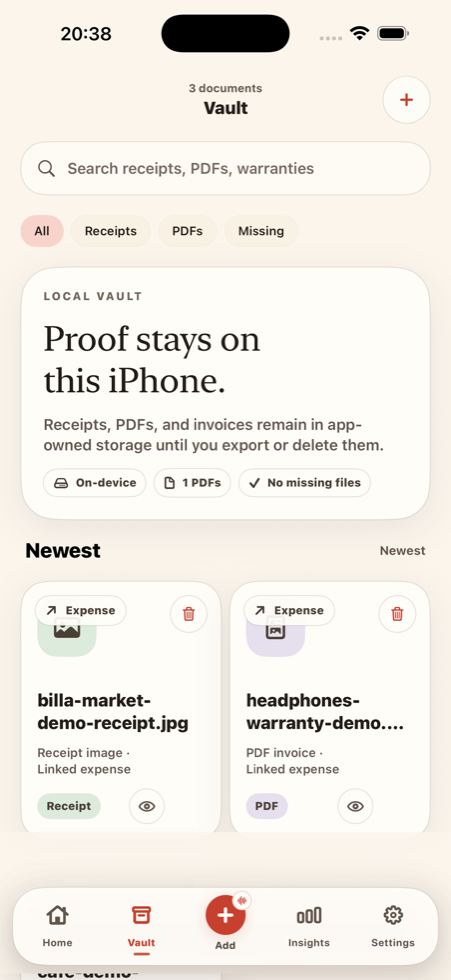
Scan or shoot a receipt or PDF and it lands in a local vault, linked to its expense — ready for returns, warranties, and your accountant.
Expense & VAT tracker for freelancers
SpendPouch is a private, local-first iPhone tracker built for freelancers — capture an expense by text, voice, or receipt scan, flag business, deductible and VAT as you go, and export a tax-ready pack in one tap.
Free to start · No bank sync · No account · Your data stays on your iPhone.
Why SpendPouch
Most trackers are built for budgets and bank feeds. SpendPouch is built for the person who has to justify every expense at tax time — without handing over a bank login.
Receipts scatter, then vanish by tax time.
Scan or shoot a receipt or PDF and it lands in a local vault, linked to its expense — ready for returns, warranties, and your accountant.
Sorting business vs. VAT becomes a scramble.
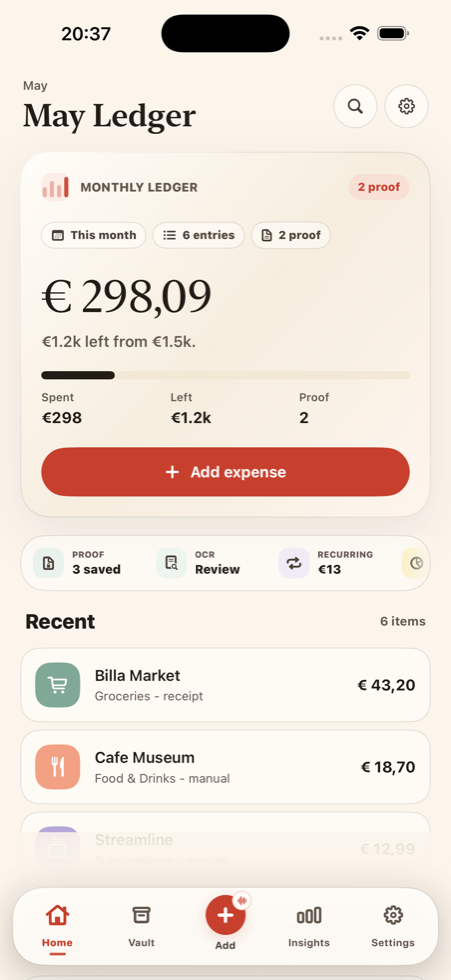
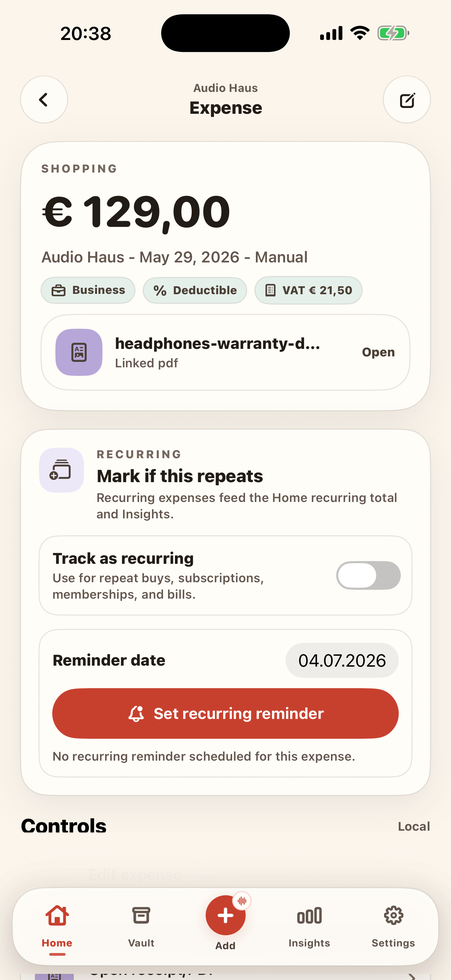
Flag an expense business, deductible, and set its VAT rate in the moment — SpendPouch keeps the net · VAT · gross split and monthly totals for you.
You never quite know your real number.
Log income next to expenses and watch it become a live profit & loss — plus invoices you can issue and mark as paid.
How it works
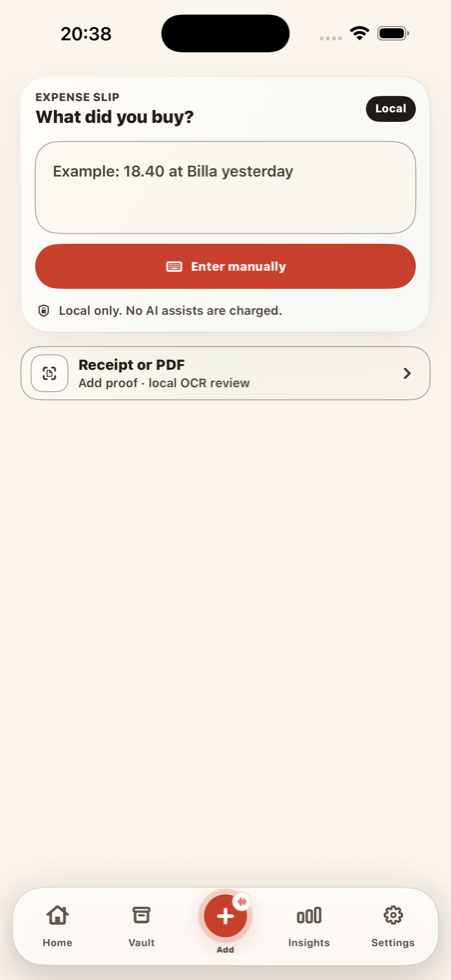
Type a quick note, hold to speak, or scan a receipt or PDF — whatever is fastest right then.
Amount, merchant, category, VAT, and proof stay editable. Nothing becomes a record until you say so.
Receipts, recurring items, reminders, and exports stay organized — without turning into a heavy dashboard.
Built for freelancers
Flag an expense as business or tax-deductible and set a VAT rate — SpendPouch fills the inclusive tax automatically and shows a clear net · VAT · gross split. Monthly totals live in Insights, ready for your records.
Proof, OCR & optional AI
Scan with the iOS document scanner and review the on-device OCR. Prefer a shortcut? Optional AI Assist reads the extracted text to draft the amount, VAT, and merchant — you confirm every field, and your receipt images and PDFs never leave the device.
Get paid & stay ready
Beyond tracking, SpendPouch closes the loop from spending to getting paid to handing everything to your accountant.
Issue invoices, set due dates, and mark them paid — booking cash-basis income automatically.
See income against expenses as a clear profit & loss, so you always know what you actually earned.
Export one zip — a tax-column CSV, a profit & loss summary, and every receipt in range.
One ledger, everything in it
Add your own with a name, icon, and color.
Hold to speak; Apple speech recognition drafts an editable entry.
Track repeats and get warranty or return nudges.
Find any expense, merchant, or receipt in seconds.
Keep an encrypted local backup you control and restore.
Export a date range with business, VAT, and deductible columns.
Plans
€0
Try it on your real expenses.
€7.99/mo
or €79.99/yr · the whole app, plus getting paid.
from €1.99
Optional add-on — only if you want it.
Manual tracking, voice, and local OCR never cost credits.
AI Assist is optional and opt-in — it sends only on-device text (never your receipts, images, or audio) and you confirm every result before it is saved. Prices are shown in EUR; the App Store displays your local currency. No bank sync, no account required.
Privacy approach
Your money is nobody else's business. SpendPouch keeps your records on your iPhone and asks for nothing it doesn't need.
App Store pages